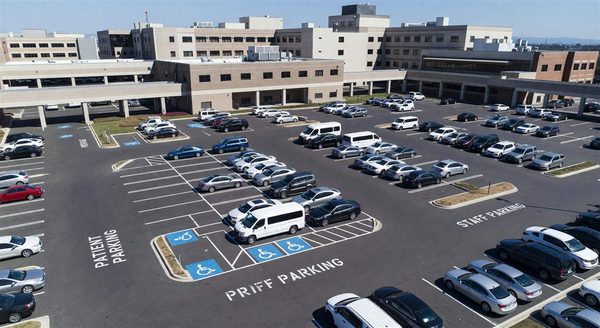
A patient arriving late for a scheduled procedure because they could not find parking is not a minor inconvenience — it is a care delivery failure. Missed appointment slots, rushed pre-procedure preparation, elevated patient anxiety, and cascading schedule delays all flow from inadequate parking navigation. Wayfinding is patient care infrastructure.
The Wayfinding Problem in Hospital Parking
Hospital campuses are among the most confusing navigation environments that ordinary people encounter. Multiple buildings, phased construction, campus expansion over decades, shared entrances for different service lines, and signage installed piecemeal over many years create a labyrinth for first-time visitors.
Add the emotional state of a patient arriving for a biopsy, a family member rushing to an ER, or an elderly patient navigating alone — and the cognitive load of a poor wayfinding experience becomes genuinely harmful.
The two dominant wayfinding failure modes are:
- Entry confusion — patients cannot identify which entrance is correct for their appointment
- Parking scarcity confusion — patients circling because they cannot identify available spaces
Both are solvable with systematic wayfinding investment.
Static Signage Standards
Before deploying dynamic systems, the foundation of static signage must be sound. The Healthcare Parking Institute and ANSI A117.1 (Accessible and Usable Buildings and Facilities) provide guidance for healthcare parking signage:
Approach signage should begin at the nearest public intersection or highway exit, directing patients to the campus. Multiple destination signs may be needed if your campus has more than one entrance for different service lines (e.g., main hospital vs. cancer center vs. emergency).
On-campus directional signage should use consistent color coding by destination type. Common conventions: blue for patient parking, green for entrances, red for emergency, orange for construction detours. Whatever convention you choose, apply it uniformly campus-wide.
Parking structure level and zone identification must be prominent and distinctive. Alphanumeric zone labels (Level 2A, Section C) allow patients to remember where they parked and communicate their location to security if they need assistance.
ADA signage must comply with the 2010 ADA Standards for Accessible Design. Accessible parking signs must be mounted between 60 and 66 inches above the ground surface and include the International Symbol of Accessibility.
Dynamic Parking Guidance Systems
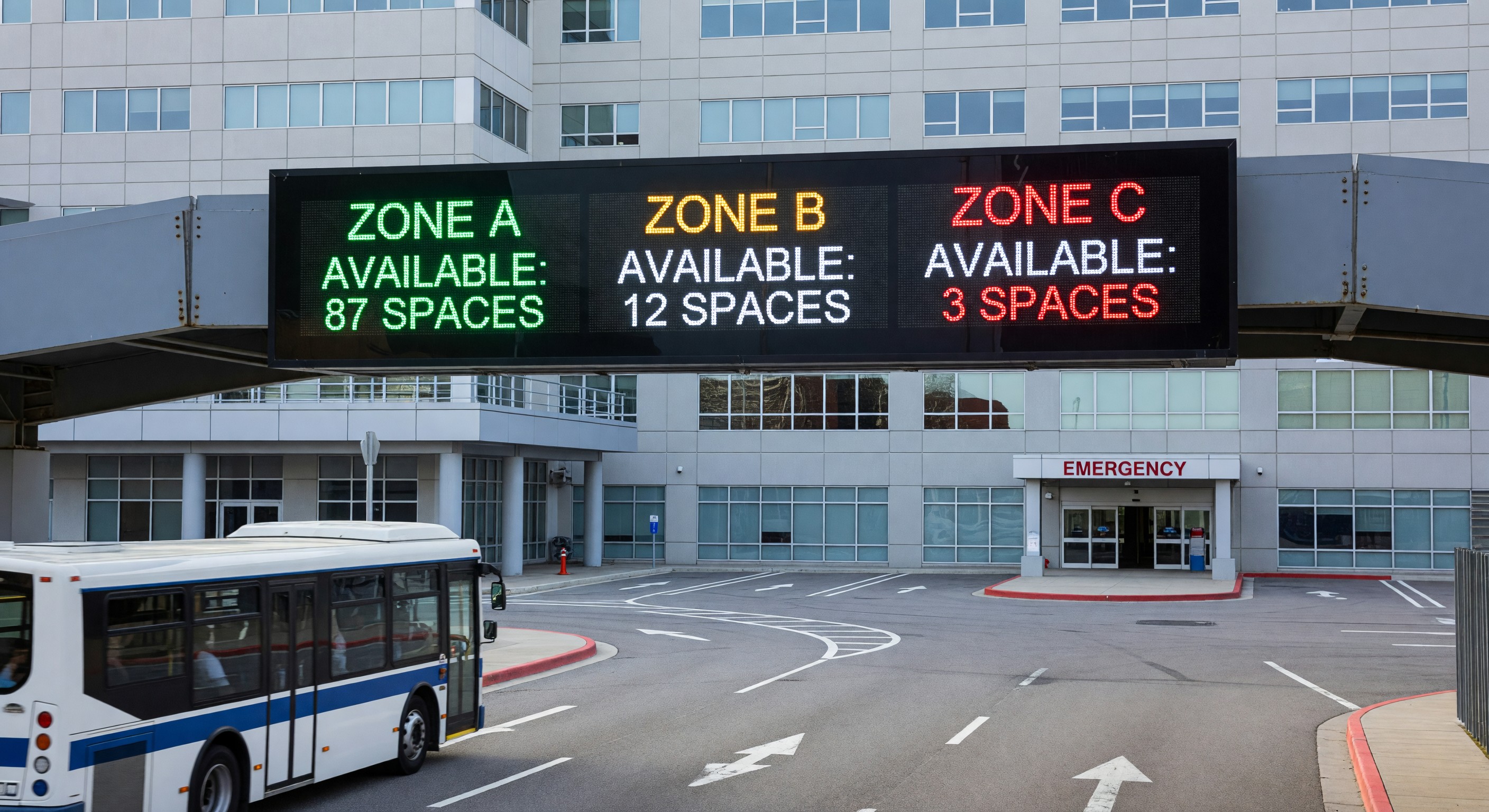
Dynamic parking guidance systems (PGS) use real-time occupancy data to guide drivers to available spaces, reducing circling behavior and perceived wait times.
Entry-level count displays at the main approach to a parking structure show total available spaces. A simple LED sign showing “Spaces Available: 87” tells the driver whether it is worth entering.
Level-by-level guidance inside a multi-story structure directs drivers to floors with available inventory, using green/red ultrasonic space sensors above individual spaces or loop counters at level entry points.
Zone-specific displays for patient, staff, and accessible spaces allow drivers to navigate directly to the appropriate zone without confusion.
Integration with parking management software enables the guidance system to reflect reserved zones, time-of-day restrictions, and validation eligibility. A display that shows “Patient Validated Parking: 34 Available” provides both guidance and information about parking cost, reducing anxiety about payment.
Digital Integration: Apps and Navigation Platforms
Increasingly, patients expect to navigate to their appointment using a smartphone. Healthcare organizations can support this in several ways:
Google Business Profile and Apple Maps — Ensure your facility has accurate map pin locations for each entrance, not just the main address. Many campuses have multiple relevant destinations (ED entrance, main entrance, parking garage, cancer center) that deserve separate pins.
Campus navigation apps — Several platforms (Phunware, Gozio Health, and others) offer white-labeled indoor navigation apps for healthcare campuses. These integrate with the facility’s mapping data to guide patients from their car to their appointment destination.
Parking availability API integration — If your parking management system exposes an API, real-time space availability can be pushed to your campus app, website appointment reminders, and even integrated into GPS navigation platforms.
Pre-visit communication — The highest-impact wayfinding intervention is often the simplest: sending appointment confirmation emails with a clear, facility-specific parking map and written parking instructions. Patients who know in advance where to go and what to expect have dramatically better experiences.
Wayfinding During Construction
Active construction projects are the most common cause of temporary wayfinding failure. Partially closed lots, rerouted pedestrian paths, and changed entrance configurations are disorienting for patients who have previously visited the facility.
Minimum requirements during construction that affects parking:
- Advance notification in appointment reminders beginning 2–4 weeks before changes take effect
- Orange construction wayfinding overlay signs that do not remove the underlying permanent directional signs
- A staffed parking information line or chat function during the first weeks of any significant change
- Weekly review of patient complaint data to identify wayfinding failure points
Shuttle and Valet Programs
For campuses with remote parking, shuttle services extend the effective parking radius. Key operational requirements:
- Clearly signed shuttle pickup and drop-off points
- Published, reliable schedules (or frequent enough service that scheduled departures are unnecessary)
- Sheltered waiting areas with seating
- Real-time shuttle tracking via app or SMS
- ADA-accessible vehicles in the fleet
Valet parking for patient-facing entrances is common at hospitals serving high-acuity or mobility-challenged patient populations. Valet programs require careful insurance review, key management protocols, and damage claim procedures.
Frequently Asked Questions
What metrics should we track for parking wayfinding effectiveness? Patient satisfaction scores related to parking (often captured in Press Ganey or HCAHPS supplemental questions), average vehicle dwell time (time from lot entry to space acquisition), circulating vehicle counts during peak hours, and patient complaint volume related to parking and navigation. Establish baselines before making wayfinding investments, then measure improvement.
How do we handle patient feedback about parking that is actually a wayfinding problem? Many complaints logged as “not enough parking” are actually wayfinding failures — the spaces exist but patients cannot find them. Conduct a brief observational study during peak hours before adding supply. Follow arriving vehicles and document where confusion occurs. Often, signage improvements at one or two key decision points eliminate the perception of scarcity without adding a single space.
What is the ROI on a dynamic parking guidance system? ROI models should include: reduced vehicle circling (fuel and time cost to patients), reduced staff time managing parking complaints, reduced late-arrival operational disruptions, and patient satisfaction improvement. For a 500-space facility, a 5-minute reduction in average circling time across 300 daily arrivals represents significant operational value. Capital costs for a mid-size PGS installation range from $150,000–$400,000 depending on technology and scope.
Should we include parking information in patient scheduling calls? Yes — proactively. Train scheduling staff to include a parking summary in every appointment confirmation, particularly for first-time patients, patients with mobility limitations, and patients scheduled for high-anxiety procedures. This takes 30 seconds and meaningfully reduces day-of arrival stress.