Access control systems in healthcare facilities have historically been managed through on-premises servers—dedicated hardware in a network closet or data center that stores credential databases, manages door controllers, and processes access events. For decades, this architecture was the only option. Today, cloud-based access control platforms offer a compelling alternative that many healthcare organizations are actively evaluating as they plan system upgrades and replacements.
Understanding the differences between on-premises and cloud-based access control architectures—and the specific implications for healthcare facility operations—is essential for facility directors making platform decisions with 10–15 year operational horizons.
The Architecture Difference
Traditional on-premises access control systems consist of a central server, door controllers connected via a local network, and card readers or credential devices at each door. All credential management, event processing, and reporting happens on the local server. Remote access typically requires VPN connectivity, and system updates are applied manually by IT staff or vendor technicians.
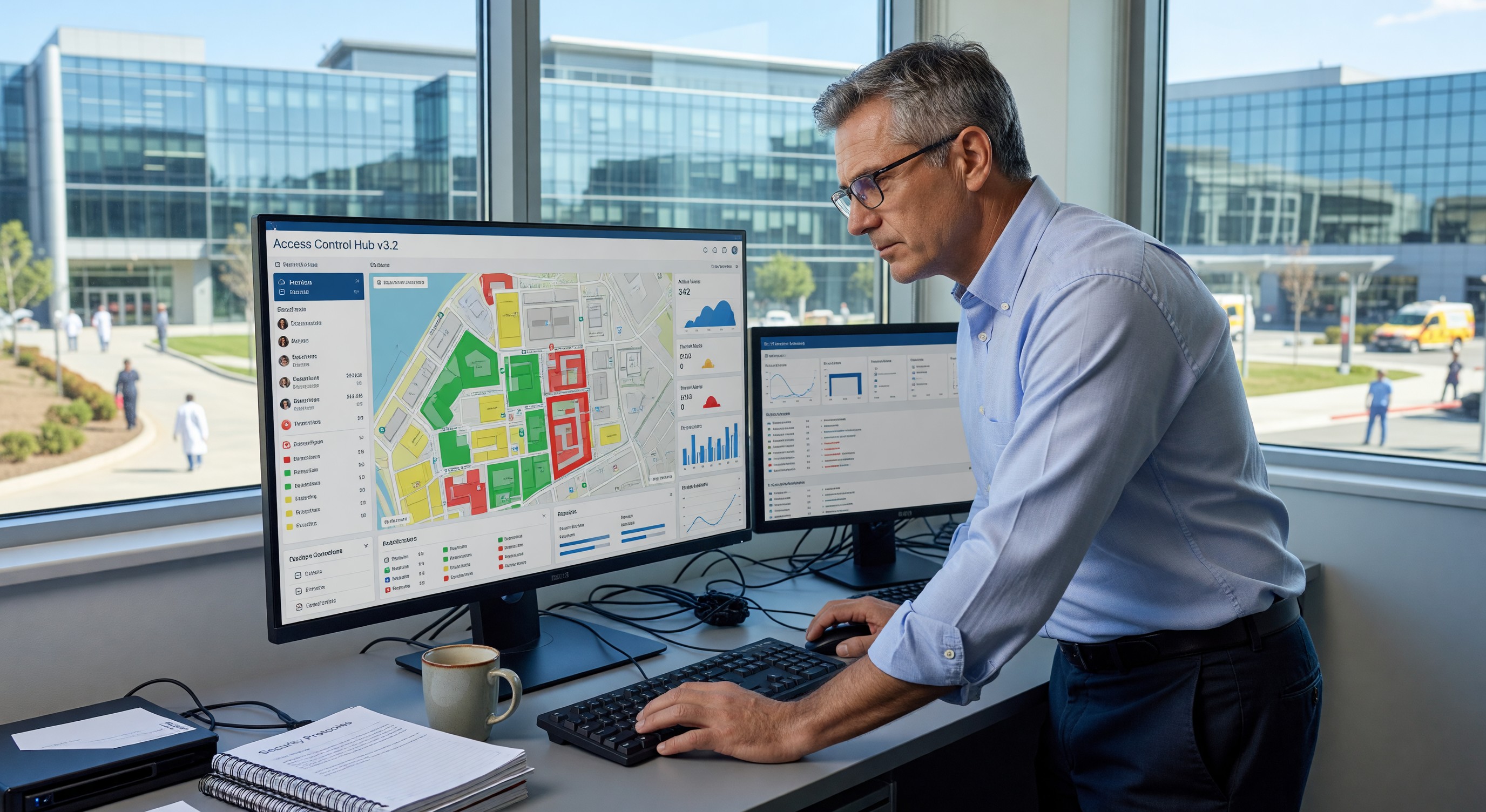
Cloud-based access control shifts the credential database, event processing, and management interface to vendor-hosted cloud infrastructure. Door controllers at each location connect to the cloud platform over the internet. Facility managers access the system through a web browser or mobile app from any location without VPN requirements.
Most cloud-based systems retain local intelligence at the door controller level—if the internet connection is interrupted, doors continue to operate based on the last known credential set. This “offline fallback” capability is essential for healthcare environments where access control failure can affect patient safety.
Operational Advantages for Healthcare Facilities
Centralized Multi-Site Management Healthcare systems with multiple campuses, clinics, and off-campus facilities face significant administrative burden managing separate on-premises access control systems at each location. Cloud platforms allow all locations to be managed from a single interface, with consistent credential management, reporting, and policy application across the entire portfolio.
Adding a new employee or updating a terminated employee’s access across all facilities happens in seconds from a single administrative interface, rather than requiring separate updates to each location’s server.
Reduced IT Infrastructure Burden On-premises access control servers require hardware maintenance, operating system patching, database management, and backup procedures—all of which consume IT resources that healthcare organizations increasingly prefer to focus on clinical systems. Cloud-based platforms transfer server management responsibility to the vendor, reducing IT overhead and eliminating server hardware replacement cycles.
Automatic Software Updates Cloud platforms deliver software updates automatically, ensuring all locations run current software without manual update processes. This has become increasingly important as cybersecurity vulnerabilities in access control software are discovered and patched—cloud platforms can deploy security patches within hours of release rather than requiring manual update coordination across dozens of servers.
Mobile Credential Distribution Cloud-based access control platforms with mobile credential support can issue credentials directly to employee smartphones, eliminating the physical card issuance process for new hires, credential updates, and temporary access grants. Mobile credentials are revoked instantly from the cloud when employment ends, with no card collection required.
Cybersecurity Considerations
Healthcare facilities are among the most targeted sectors for cyberattacks, and physical security systems increasingly represent attack vectors. Cloud-based access control introduces cybersecurity considerations that facility and IT security teams must evaluate carefully.
Data Transmission Security All credential data, access events, and management commands traveling between door controllers and the cloud platform must be encrypted in transit. Evaluate TLS version requirements, certificate management practices, and the vendor’s record of addressing cryptographic vulnerabilities.
Data Sovereignty and Residency Healthcare access control data may include sensitive information about employee movements and access patterns. Understand where the vendor stores data—which cloud region, under what data residency terms—and whether that storage complies with applicable state privacy laws.
Vendor Access to Facility Data Cloud platform vendors typically have access to facility access logs and credential data as part of operating the service. Review the vendor’s data use policies, access controls governing their own staff’s access to customer data, and contractual commitments around data use and disclosure.
Incident Response and Breach Notification If the cloud platform vendor experiences a security incident affecting customer data, healthcare organizations need contractual rights to timely breach notification and cooperation in incident response. Review vendor security incident response procedures and notification commitments before signing.
Business Continuity What happens to access control operations if the cloud vendor experiences an extended outage? Most cloud access control vendors provide SLA uptime commitments, but healthcare facilities should understand offline fallback capabilities, the maximum duration of local operation without cloud connectivity, and recovery procedures after connectivity is restored.
Joint Commission and CMS Implications
The Joint Commission’s Environment of Care (EC) standards require that healthcare facilities maintain controlled access to hazardous areas, patient care areas, and secured zones. Cloud-based access control systems must meet these requirements just as on-premises systems do—the architecture doesn’t change the operational requirement.
For Joint Commission survey purposes, the key questions are whether the access control system maintains the required access restrictions, whether access logs are available for review (which cloud systems typically provide with enhanced query capability compared to on-premises systems), and whether the system has demonstrated reliability in meeting access restriction requirements.
CMS Conditions of Participation require facilities to maintain the safety and security of patients, which includes appropriate access controls to patient care areas, medication storage, and other sensitive locations. Cloud-based systems are acceptable if they reliably enforce the required access restrictions.
Hybrid Architecture Options
For healthcare facilities with significant existing on-premises access control infrastructure, a “hybrid” architecture may be the most practical path forward. Hybrid approaches allow existing door controllers and hardware to be retained while connecting them to a cloud management platform through a gateway device. This avoids the capital cost of full hardware replacement while gaining cloud management capabilities.
Hybrid architectures also allow phased migration—converting to cloud management location by location over 2–3 years rather than executing a complete system replacement during a single disruptive project.
Implementation Planning
Healthcare facilities evaluating cloud-based access control should build their implementation plans around several key activities:
Network Assessment Cloud-based access control requires reliable internet connectivity at every door controller location. Healthcare facilities with extensive wireless networks, legacy wired infrastructure, or remote clinic locations may need network upgrades before cloud access control deployment.
Integration Mapping Identify all systems that currently integrate with the on-premises access control platform: HR systems for employee provisioning, video surveillance for access event correlation, intrusion detection, parking systems. Verify that the cloud platform supports these integrations before committing to a migration.
Credential Migration Moving credential databases from on-premises to cloud platforms requires careful planning to avoid access disruptions during migration. Develop a migration plan that includes a parallel operation period where both systems run simultaneously before cutover.
Frequently Asked Questions
Can cloud-based access control systems meet HIPAA security requirements? HIPAA’s Security Rule applies to electronic protected health information (ePHI) in administrative, physical, and technical safeguard contexts. Access control systems that store or transmit ePHI—such as systems that link access events to patient records—must meet HIPAA Security Rule requirements. Most general access control systems don’t process ePHI and thus aren’t directly subject to HIPAA, but healthcare organizations should evaluate their specific implementation to determine whether a Business Associate Agreement is required with the cloud vendor.
What’s the typical cost difference between cloud-based and on-premises access control? Cloud-based access control typically has lower upfront capital cost (no server hardware) but higher ongoing cost through SaaS subscription fees. On-premises systems have higher upfront cost but lower ongoing subscription cost. The total cost of ownership comparison over 10 years favors cloud for most small to mid-size implementations, while large implementations with existing server infrastructure may find on-premises costs competitive when server replacement cycles are factored in.
How do cloud access control vendors typically handle system downtime for maintenance? Most cloud vendors schedule maintenance during low-usage windows (typically late night or early morning) and provide advance notice. During scheduled maintenance, door controllers typically operate in offline mode using the last-synchronized credential set—existing credentials continue to work, but new credentials issued during the maintenance window won’t be active until the platform is restored.
Is cloud-based access control appropriate for high-security areas like medication storage, blood banks, and operating suites? Yes, with appropriate configuration. The security level of the access restriction is determined by the credential requirements and policy configured in the system, not by whether the management platform is cloud or on-premises. High-security areas should use multi-factor authentication (card plus PIN, or biometric) regardless of platform architecture.